
2.1. FRONT screen description
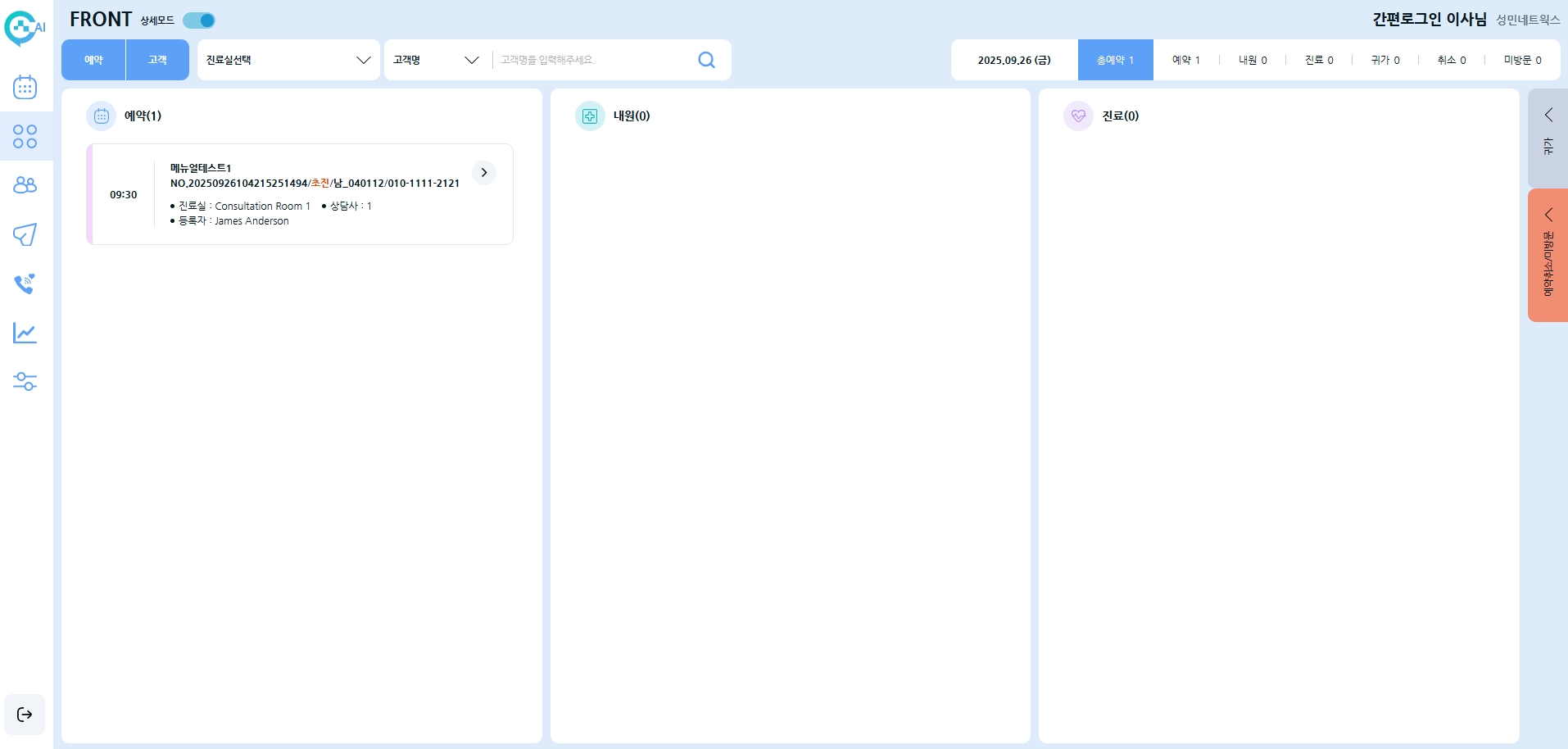


Reservation / Customer

Reservation: A shortcut key that allows you to make a reservation directly from this page. Refer to Section 1.3 Reservation Management Window – Making a Reservation for detailed instructions.
Customer: A shortcut key that opens the customer registration window to register a new customer directly from this page. After registering a new customer, refer to 1.3 Reservation Management Window – Making a Reservation to proceed with a reservation.


Discharge / Canceled / No-show
Discharge: After a customer’s consultation is completed and marked as discharged in the program, the customer will move to the discharge list as shown below. (To mark as discharged: Right-click → Select “Discharge”)


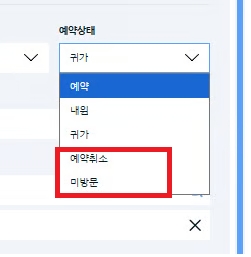
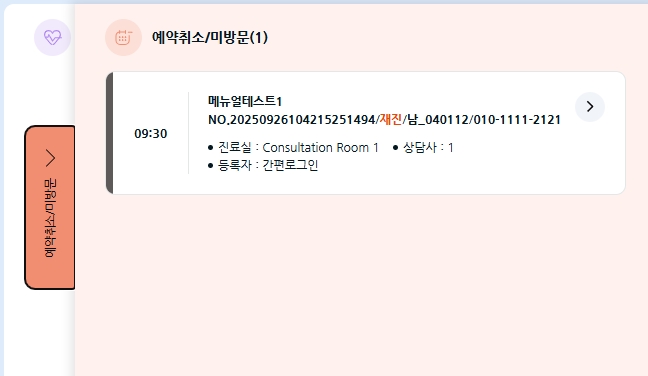
Canceled / No-show: If a customer’s reservation status is Canceled or No-show, they will automatically move to the Canceled / No-show list as shown below.
Last updated